Introduction
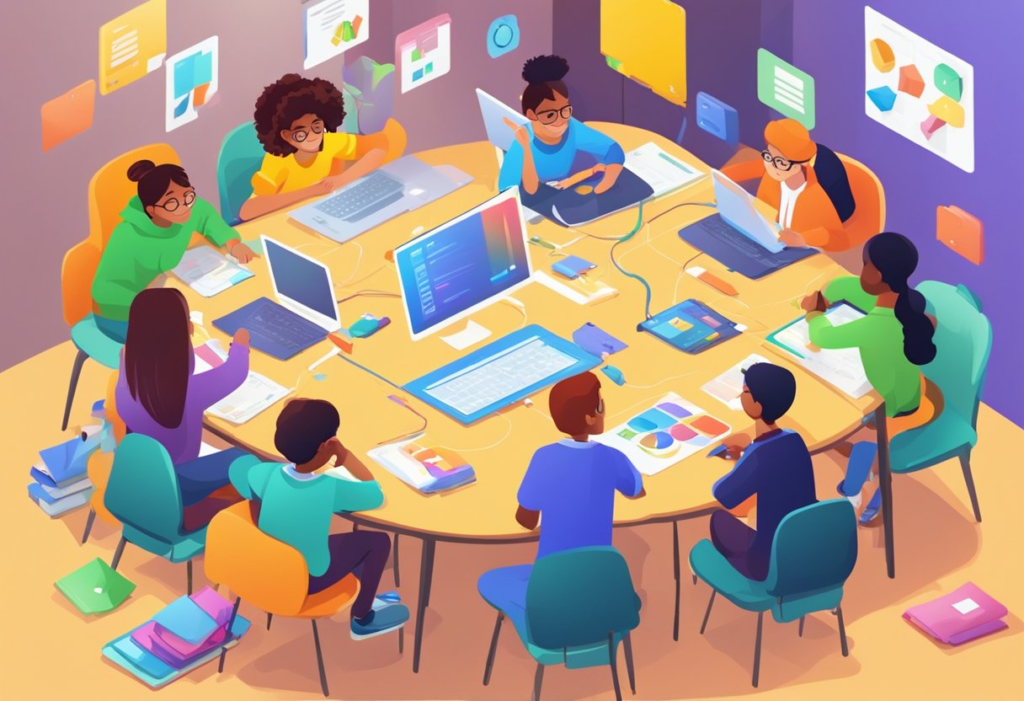
Ed-tech for collaborative projects refers to digital tools and platforms that help students, teachers, and teams work together efficiently on shared assignments, research, presentations, and problem-solving activities. These technologies enable real-time communication, file sharing, project management, and collaborative learning, making teamwork more organized, engaging, and productive. Whether you’re teaching in a classroom or learning remotely, the right educational technology can significantly improve collaboration and learning outcomes.
What Is Ed-Tech for Collaborative Projects?
Educational technology (Ed-Tech) includes software, applications, and online platforms designed to improve teaching and learning. When used for collaborative projects, these tools allow multiple users to:
- Work on the same document simultaneously.
- Share ideas in real time.
- Assign and track tasks.
- Communicate through chat or video.
- Receive instant feedback.
- Store files securely in the cloud.
Instead of relying on emails and paper-based assignments, students can collaborate seamlessly regardless of location.
Why Collaborative Learning Matters
Collaborative learning develops both academic and professional skills. Students learn how to communicate effectively, solve problems together, and manage responsibilities.
Key Benefits
- Improves communication skills
- Encourages teamwork
- Develops critical thinking
- Builds leadership abilities
- Enhances creativity
- Promotes accountability
- Prepares students for future workplaces
Research consistently shows that students engaged in collaborative learning often demonstrate higher engagement and improved retention compared to traditional individual learning.
How Ed-Tech Makes Collaboration Better
Technology removes many traditional barriers to teamwork.
Real-Time Collaboration
Students can edit the same file simultaneously without creating multiple document versions.
Instant Communication
Built-in messaging, discussion boards, and video meetings keep everyone connected.
Cloud Storage
Files remain accessible from laptops, tablets, and smartphones.
Progress Tracking
Teachers can monitor participation and provide feedback throughout the project instead of waiting until submission.
Version History
Most collaborative platforms save every change, allowing mistakes to be corrected easily.
Essential Features to Look For
When selecting an Ed-Tech platform, consider these features:
- Real-time editing
- Task assignment
- Cloud storage
- Mobile compatibility
- Video conferencing
- Discussion boards
- Commenting tools
- File sharing
- Learning management integration
- Analytics and reporting
The more seamlessly these features work together, the more effective collaboration becomes.
Comparison Table of Popular Ed-Tech Collaboration Tools
| Tool | Best For | Real-Time Editing | Video Meetings | Task Management | Ease of Use |
|---|---|---|---|---|---|
| Google Workspace | Group assignments | ✅ | ✅ | Moderate | Excellent |
| Microsoft Teams | Classroom communication | ✅ | ✅ | Excellent | Very Good |
| Trello | Project organization | Limited | No | Excellent | Excellent |
| Notion | Knowledge sharing | ✅ | No | Excellent | Very Good |
| Canva | Collaborative design | ✅ | Limited | Basic | Excellent |
| Padlet | Brainstorming | ✅ | No | Basic | Excellent |
Each platform serves different educational needs, so selecting the right one depends on project goals.
Best Ed-Tech Tools for Collaborative Projects
Google Workspace
Google Docs, Sheets, Slides, and Drive remain among the most popular collaboration tools in education.
Advantages
- Live editing
- Easy sharing
- Automatic saving
- Commenting system
- Strong classroom integration
Microsoft Teams
Microsoft Teams combines communication with productivity tools.
Ideal For
- Online classrooms
- Large student groups
- Assignment management
- Virtual meetings
Trello
Trello organizes projects using visual boards.
Students can:
- Create task cards
- Set deadlines
- Assign responsibilities
- Track progress
Notion
Notion combines notes, databases, documents, and planning into one workspace.
It works particularly well for research projects and semester-long assignments.
Canva
Collaborative design projects become much easier with Canva.
Students can jointly create:
- Posters
- Presentations
- Infographics
- Videos
- Reports
Choosing the Right Tool
Consider these questions:
Class Size
Larger classes often need structured communication platforms.
Project Type
Creative assignments benefit from design-focused tools.
Research projects require strong document collaboration.
Budget
Many platforms offer free education plans.
Device Compatibility
Ensure students can access tools from different devices.
Privacy
Schools should prioritize platforms with strong security standards.
Personal Experience
From our experience working with educators and student teams, one of the biggest improvements comes when everyone has access to a shared digital workspace. Instead of managing dozens of email attachments, students collaborate in a single location where updates happen instantly.
We have also observed that teams using collaborative planning boards finish projects more consistently because responsibilities remain visible to everyone. Even quieter students often participate more actively through digital comments than they do during traditional classroom discussions.
Expert Opinion
Education technology specialists generally agree that collaboration tools are most effective when paired with clear project goals and teacher guidance.
Rather than replacing teaching, technology enhances it by simplifying communication, improving transparency, and encouraging active participation.
Experts also recommend introducing one new platform at a time so students can become comfortable before moving to more advanced tools.
Case Study: High School Science Project
A high school science teacher assigned environmental research projects to groups of four students.
Before Using Ed-Tech
Students struggled with:
- Missed deadlines
- Duplicate work
- Poor communication
- Lost files
After Introducing Collaborative Platforms
The teacher implemented:
- Shared documents
- Weekly online meetings
- Digital task boards
- Collaborative presentations
Results
Within one semester:
- Project completion improved.
- Student participation increased.
- Teachers spent less time collecting assignments.
- Group presentations became more organized.
- Students reported greater confidence working in teams.
The teacher also found it easier to evaluate individual contributions using activity histories.
Common Challenges
Although collaborative technology offers many advantages, several challenges still exist.
Unequal Participation
Some students contribute less than others.
Solution: Assign clear individual responsibilities.
Technical Problems
Internet connectivity can interrupt collaboration.
Solution: Choose platforms with offline capabilities where possible.
Learning Curve
New software may initially confuse students.
Solution: Provide short tutorials before beginning projects.
Distractions
Students may lose focus while working online.
Solution: Establish clear expectations and timelines.
Tips for Teachers
Teachers can maximize collaboration by:
- Creating clear project objectives.
- Defining individual roles.
- Scheduling regular check-ins.
- Encouraging peer feedback.
- Monitoring progress regularly.
- Using rubrics for assessment.
- Offering technical support when needed.
Tips for Students
Students should:
- Communicate regularly.
- Respect deadlines.
- Keep files organized.
- Share ideas openly.
- Give constructive feedback.
- Participate equally.
- Use comments instead of editing teammates’ work without permission.
Future Trends in Ed-Tech Collaboration
Educational collaboration continues to evolve through innovations such as:
Artificial Intelligence
AI helps summarize discussions, generate ideas, and organize content.
Virtual Reality
Students collaborate inside immersive learning environments.
Augmented Reality
Interactive learning experiences improve engagement.
Learning Analytics
Teachers receive detailed insights into participation and progress.
Personalized Collaboration
Future platforms may recommend team structures based on student strengths and learning styles.
Read More: tamildhooms
Best Practices for Successful Collaborative Projects
Successful projects usually follow these steps:
- Define clear goals.
- Choose the appropriate platform.
- Assign roles early.
- Set realistic deadlines.
- Schedule regular progress reviews.
- Encourage respectful communication.
- Evaluate both teamwork and final outcomes.
These practices help ensure that technology supports learning rather than complicating it.
Conclusion
Ed-tech for collaborative projects has transformed how students and educators work together. Modern collaboration platforms improve communication, organization, creativity, and accountability while preparing learners for real-world teamwork. By selecting the right tools, setting clear expectations, and encouraging active participation, schools can create engaging learning experiences that benefit every student. As educational technology continues to evolve, collaborative learning will remain one of its most valuable applications.
Pro Tip
Don’t overwhelm students with multiple collaboration platforms at once. Start with one easy-to-use tool, establish clear workflows, and focus on building strong teamwork habits before introducing additional technology. Successful collaboration depends more on clear communication and organization than on using the largest number of digital tools.
Frequently Asked Questions (FAQs)
What is Ed-Tech for collaborative projects?
Ed-Tech for collaborative projects includes digital tools that allow students and teachers to work together through shared documents, communication platforms, project management systems, and cloud-based learning environments.
Which Ed-Tech tool is best for student group projects?
The best tool depends on the project. Google Workspace is excellent for document collaboration, Microsoft Teams works well for communication, Trello helps manage tasks, and Canva is ideal for creative assignments.
How does educational technology improve teamwork?
Educational technology improves teamwork by enabling real-time collaboration, simplifying communication, organizing project tasks, providing instant feedback, and making files accessible from anywhere.
Are collaborative learning tools suitable for remote education?
Yes. Most modern collaboration platforms are specifically designed to support remote and hybrid learning through cloud access, video conferencing, shared workspaces, and digital communication.
What features should schools consider before choosing an Ed-Tech platform?
Schools should evaluate ease of use, security, cloud storage, mobile compatibility, collaboration features, teacher controls, analytics, integration with existing systems, and overall cost before selecting an educational technology platform.